
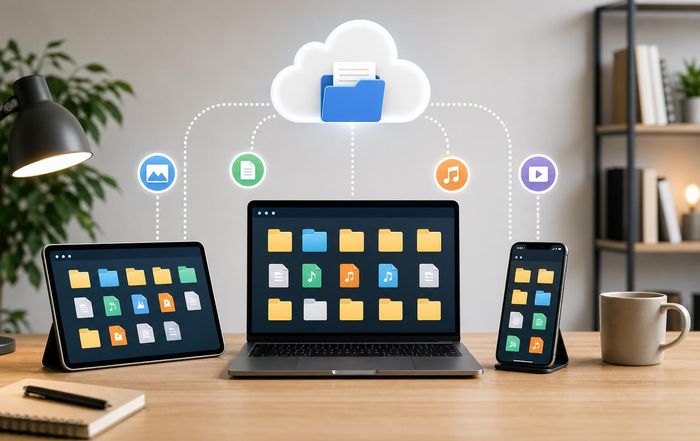
Best Ways to Organize Files Across Devices
File organization has quietly become one of the defining skills of modern work. As professionals move between laptops, phones, tablets, and cloud platforms, the ability to find the right document in seconds rather than minutes has a direct impact on productivity, stress levels, and even income. For freelancers, remote workers, and founders building lean digital businesses, a disciplined approach to file organization is no longer a nice-to-have; it is a core part of how they deliver reliable, high-quality work in a distributed, always-on environment.
This article explores practical, evidence-informed ways to organize files across devices, focusing on strategies that work for independent professionals and small teams. Drawing on guidance from leading technology companies, digital security experts, and productivity researchers, it offers a system that balances structure with flexibility and is well suited to the way the CreateWork community collaborates, earns, and builds careers online.
Why Cross-Device File Organization Matters More Than Ever
As work has shifted to the cloud and become increasingly location-agnostic, professionals are now expected to access and share documents from wherever they are. Remote work data from organizations such as Gallup and Pew Research Center consistently show that hybrid and remote models remain deeply embedded in knowledge work, while freelancers and independent contractors often juggle multiple clients, platforms, and devices simultaneously.
In this environment, files are no longer confined to a single hard drive. A typical knowledge worker might use Google Drive for collaboration, Microsoft OneDrive through an employer, Dropbox for legacy projects, and local folders for sensitive or offline work, while messaging tools such as Slack or Microsoft Teams become informal file repositories as well. Without a coherent strategy, this fragmentation leads to duplicate files, version confusion, missed deadlines, and avoidable rework.
For freelancers and digital entrepreneurs featured on CreateWork's freelancers hub, the cost of disorganization can be directly financial: misplacing a client contract or losing track of deliverables can damage reputation and delay payment. A robust, cross-device file organization system therefore supports not only personal efficiency but also professional reliability and long-term trust with clients and collaborators.
Choosing a Primary Storage Strategy: Cloud, Local, or Hybrid
The first decision in organizing files across devices is where the "source of truth" will live. While there is no single correct answer, most professionals benefit from a deliberate hybrid strategy that combines cloud reliability with local control.
Major cloud storage providers such as Google Drive, Microsoft OneDrive, Dropbox, and Box offer cross-device synchronization, version history, and granular sharing controls. Independent testing and comparisons by outlets like PCMag and TechRadar consistently show that these services are broadly reliable, with differences in storage limits, collaboration features, and integration with office suites rather than in basic stability.
For many remote workers, a cloud-first approach, where cloud folders are the canonical location for active work while local storage acts as a synchronized cache, strikes the best balance between accessibility and resilience. This approach aligns well with the remote work guidance shared in CreateWork's remote work insights, where seamless access to documents across time zones and devices is critical.
However, a purely cloud-based strategy is not always appropriate. Sensitive financial documents, confidential client data, or regulated information may require encrypted local storage or specialized solutions, particularly in jurisdictions with strict data protection laws. Organizations such as the European Data Protection Board and national regulators provide guidance on cross-border data transfers and cloud usage, and professionals working with regulated data should consult both legal counsel and official regulatory sources rather than relying solely on generic cloud configurations.
A practical hybrid model that many professionals adopt includes using a primary cloud platform for day-to-day work, a well-structured local directory for offline access and sensitive files, and a separate, encrypted backup system for disaster recovery. The crucial point is to decide explicitly which location is authoritative for each category of file, rather than allowing documents to drift between cloud and local storage without a plan.
Designing a Folder Structure That Works Across Devices
Once a storage strategy is in place, the next step is to design a folder structure that is intuitive, scalable, and consistent across devices. Research in information science and human-computer interaction, including work summarized by institutions such as ACM Digital Library, suggests that people find files more quickly when folder hierarchies mirror the way they mentally categorize their work, whether by project, client, or function.
For freelancers and small business owners, a project- and client-based structure is often the most practical. For example, a top-level directory for "Clients" or "Projects," with subfolders for each client or initiative, and further subfolders for "Contracts," "Deliverables," "Assets," and "Archive," provides a consistent mental map that works well in cloud interfaces and local file explorers alike. On CreateWork's business startup resources, many early-stage founders describe how a clear, project-centric folder structure reduced confusion as their workload grew more complex.
Alternatively, some professionals prefer a functional structure, with top-level folders such as "Finance," "Marketing," "Operations," and "Personal," each containing relevant subfolders. This can be particularly effective for solo entrepreneurs running a single business, where the division of work by function is more meaningful than by client.
Whichever model is chosen, consistency is essential. The same top-level folders and subfolder patterns should exist across all devices and within all major storage platforms used. Many cloud services allow users to selectively sync folders to specific devices; aligning these synced folders with a universal structure ensures that search and navigation habits transfer smoothly from laptop to phone to tablet.
Naming Conventions: The Invisible Backbone of Organization
Even the best folder structure can be undermined by inconsistent file names. Clear, standardized naming conventions act as the backbone of cross-device organization, enabling quick search, sorting, and collaboration without opening each file to understand its contents.
Digital productivity experts and organizations such as Evernote and Notion often recommend including at least three elements in file names: a date or version indicator, a descriptive title, and, where relevant, a client or project identifier. For example, "2026-02-15_ClientName_BrandGuidelines_v03.pdf" is immediately more informative than "Branding_Final2.pdf," and it sorts correctly in chronological order when viewed in any file system.
Adopting ISO-style dates (YYYY-MM-DD) ensures that files sort in logical order across platforms, while using underscores or hyphens rather than spaces helps avoid issues in certain systems and command-line tools. Freelancers and remote teams featured in CreateWork's productivity tools coverage often report that once a naming convention is agreed and documented, onboarding new collaborators becomes significantly easier, because shared folders remain legible even when multiple people are adding files rapidly.
It is also helpful to avoid ambiguous terms such as "final" or "new" in file names, which quickly become meaningless as revisions accumulate. Instead, explicit version numbers ("v01," "v02," "v10") or dates combined with clear descriptors provide a more reliable record of progress, especially when paired with version history features offered by platforms like Google Workspace and Microsoft 365.
Leveraging Cloud Sync and Cross-Platform Tools
Modern file synchronization tools have reduced much of the friction once associated with working across devices, but they work best when configured deliberately. Services such as Dropbox Smart Sync, OneDrive Files On-Demand, and Google Drive for desktop allow users to view all cloud files in a local file explorer while only downloading files when needed, which is particularly useful for professionals working on devices with limited storage.
For remote workers and digital nomads who rely heavily on mobile devices, installing official apps from cloud providers and enabling offline access for critical folders is an important step. Platforms like Apple iCloud Drive and Samsung Cloud integrations can also play a role, but relying solely on device-specific ecosystems can create fragmentation when collaborating with clients using other platforms. A neutral, cross-platform service, combined with a consistent folder structure, reduces this friction.
For the CreateWork audience, which often straddles multiple ecosystems and devices, it is especially valuable to periodically review sync settings to confirm which folders are available on which devices, and to ensure that large or rarely used archives are kept in the cloud only, preserving local disk space for active projects. Guidance on balancing performance and flexibility in this way is a recurring theme in CreateWork's technology coverage, where the focus is on building resilient digital workflows that can adapt to changing tools and client requirements.
Integrating AI and Automation into File Organization
Advances in artificial intelligence are beginning to transform how files are organized, searched, and retrieved. Major platforms like Google and Microsoft have introduced AI-powered search, content suggestions, and automatic classification, while specialized tools such as Algolia and Elastic support sophisticated enterprise search across disparate repositories.
These capabilities can greatly reduce the cognitive load of remembering exact file names or locations. For example, semantic search allows users to find a document by describing its content or purpose, even if the search terms do not appear in the file name. Optical character recognition (OCR) enables searching within scanned PDFs and images, and automatic tagging systems can categorize files based on detected entities, topics, or document types.
However, automation works best when layered on top of an intentional organizational structure rather than in place of one. AI can assist in classifying new files, suggesting tags, or deduplicating content, but it is not a substitute for clear rules about where files should live and how they should be named. As CreateWork's AI automation insights emphasize, professionals who combine human judgment with AI capabilities tend to achieve more reliable and transparent workflows than those who rely entirely on opaque automated systems.
Users should also be mindful of privacy and security when enabling AI-based features. Some services use file content to train models or generate analytics; others offer stricter privacy controls. It is advisable to review official documentation and privacy policies from providers such as Google Workspace, Microsoft 365, and Dropbox to understand how data is handled and to configure settings appropriately, particularly for client work and sensitive material.
Security, Backups, and Version Control Across Devices
Effective file organization is inseparable from security and resilience. Losing access to critical documents due to device failure, accidental deletion, or cyberattacks can be devastating for freelancers and small businesses, especially when there is no centralized IT department to intervene. Organizations such as the National Cyber Security Centre (UK) and the Cybersecurity and Infrastructure Security Agency (US) consistently highlight the importance of regular backups, multi-factor authentication, and strong password hygiene as baseline protections.
A robust cross-device strategy typically includes a combination of cloud version history, local backups, and, for particularly important data, offline or "cold" backups stored on encrypted external drives. Major cloud providers generally retain previous versions of files for a limited period, allowing users to recover from accidental overwrites, but these histories are not a complete substitute for independent backups, especially if files are deleted or accounts are compromised.
For collaborative projects, integrating version control principles can further reduce risk and confusion. While software developers often rely on tools like GitHub or GitLab, non-technical teams can adopt lighter-weight practices, such as maintaining a clear naming convention for versions, using tracked changes in documents, and designating a single "master" document for each deliverable. Collaborative editing features in Google Docs and Microsoft Word Online help reduce the proliferation of conflicting copies, provided that teams commit to editing shared documents rather than creating separate local versions.
Security-conscious professionals may also consider tools that provide end-to-end encryption for sensitive files, such as Tresorit or Proton Drive, particularly when working with confidential client information or complying with sector-specific regulations. Whatever tools are chosen, documenting security and backup practices as part of an overall digital operations guide helps ensure consistency and continuity, a practice echoed in resources like CreateWork's business operations guidance.
Productivity Tools and Workflows That Support Organization
Beyond storage and naming, the daily habits and tools that professionals use have a significant impact on how organized their files remain over time. Task managers, note-taking apps, and project management platforms increasingly integrate with cloud storage, allowing users to link directly to files rather than duplicating them in multiple systems.
Tools such as Asana, Trello, and ClickUp allow attachments from major cloud providers, helping keep tasks and documents in sync. Note systems like Obsidian and Notion can act as navigational hubs, where index notes or dashboards link to key folders and files. For many freelancers and remote teams highlighted on CreateWork's productivity tools page, a simple daily or weekly review process, in which they clear downloads folders, rename new files, and move documents into their proper locations, prevents organizational debt from accumulating.
Email remains a major source of file chaos. Rather than leaving attachments buried in inboxes, professionals can adopt a discipline of immediately saving important attachments to the correct folders and using email only as a communication channel, not as a long-term file repository. Many email clients, including Gmail and Outlook, offer direct integrations with cloud storage to streamline this process.
These workflows do not need to be complex. The most effective systems are those that can be maintained under real-world pressure, when deadlines are tight and multiple projects compete for attention. An organizational approach that requires constant manual tagging or elaborate rituals is less likely to endure than one that fits naturally into existing habits, a perspective that aligns with the pragmatic guidance often shared in CreateWork's practical guides.
Financial, Legal, and Administrative Files: Special Considerations
Certain categories of files require particular care due to legal, financial, or compliance implications. Tax records, invoices, contracts, and employment documents often need to be retained for specific periods defined by law, which can vary by country and jurisdiction. Official sources such as the Internal Revenue Service (IRS) in the United States, HM Revenue & Customs (HMRC) in the United Kingdom, and equivalent authorities in other regions provide guidance on record-keeping requirements.
For freelancers and small businesses, centralizing financial and legal documents into clearly labeled, access-controlled folders is essential. This might include separate subfolders for invoices issued, invoices received, tax returns, bank statements, and contracts, with consistent naming conventions that include dates and counterparties. Many accounting platforms, such as Xero and QuickBooks Online, allow users to upload and link supporting documents directly to transactions, which can simplify audits and tax preparation.
On CreateWork's money and finance pages and finance resources, contributors often emphasize that well-organized financial files not only make compliance easier but also provide clearer insight into business performance, enabling more informed decisions about pricing, investment, and growth. A disciplined approach to filing receipts, statements, and agreements supports both operational efficiency and strategic clarity.
Upskilling and Building a Culture of Digital Organization
File organization is not a one-time project but an ongoing capability that can be strengthened through deliberate upskilling. As tools evolve and AI capabilities expand, professionals who invest in learning new features, refining their systems, and sharing best practices with peers are better positioned to adapt.
Educational resources from organizations such as Coursera, LinkedIn Learning, and Khan Academy increasingly include modules on digital productivity, cloud tools, and data management. Formal courses can be complemented by self-directed experimentation, peer learning, and participation in professional communities where workflows and templates are shared.
For teams and small businesses, cultivating a shared culture of organization is particularly important. Documenting naming conventions, folder structures, and backup procedures in an internal handbook, and revisiting these standards periodically, helps ensure that new team members align with established practices. This culture-building approach echoes the themes explored in CreateWork's upskilling content and employment insights, where continuous learning and shared standards are seen as foundations of sustainable digital careers.
A Sustainable, Cross-Device System for the CreateWork Era
In an economy where work is increasingly distributed across borders, platforms, and time zones, the ability to organize files coherently across devices is a quiet but decisive advantage. It supports the agility and independence that define modern freelancing and remote work, while also providing the stability and reliability that clients, partners, and regulators expect.
For the CreateWork community, which includes freelancers building global client bases, founders launching digital-first businesses, and professionals navigating hybrid careers, a sustainable file organization system rests on a few core principles: a clear choice of primary storage, a consistent folder structure, disciplined naming conventions, thoughtful use of AI and automation, robust security and backups, and regular habits that keep the system healthy over time.
By approaching file organization not as a tedious administrative chore but as an investment in clarity, resilience, and professional credibility, individuals and teams can reclaim time, reduce stress, and create a digital environment that supports deep work, creative experimentation, and long-term growth. As technology continues to evolve, organizations like CreateWork will remain important allies, offering guidance, tools, and inspiration to help people build work lives that are not only productive but also sustainable and fulfilling in a connected, cross-device world.
